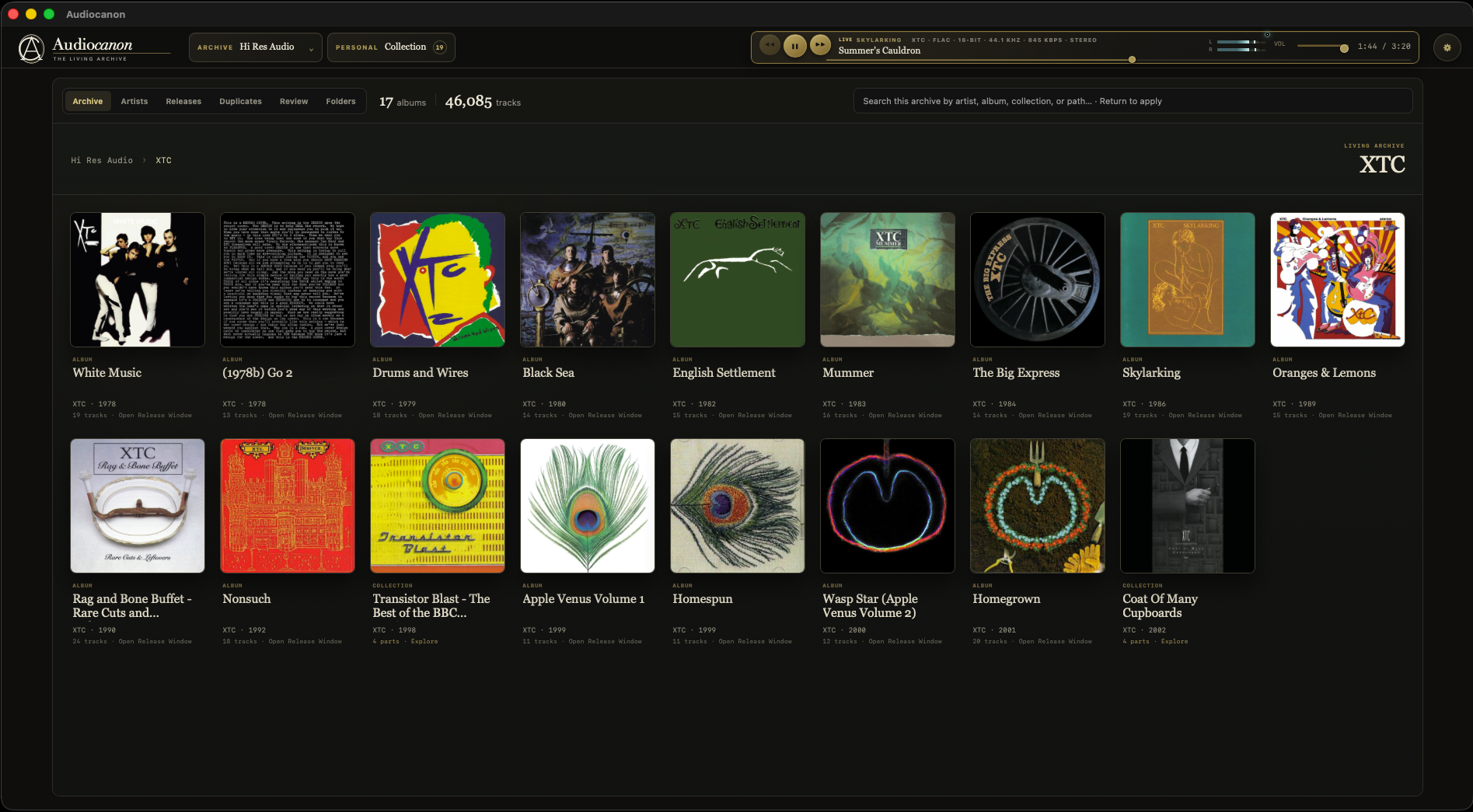
In a mixed archive, each artist becomes a visual collection of albums and sets. Open one to see the releases inside.
 Approaching V1.0
The AudioCanon application · approaching V1.0
A native macOS app for collectors who want to see how their music fits together—and listen while they work.
Albums rarely arrive neatly. There are box sets, alternate masters, stray notes, scans, and several versions of the same recording. AudioCanon brings those pieces into one clear view without asking you to reorganize the folders behind them.
The same app can make sense of an archive devoted to one artist or a library containing hundreds. It reads the structure already there and adjusts the view to suit.
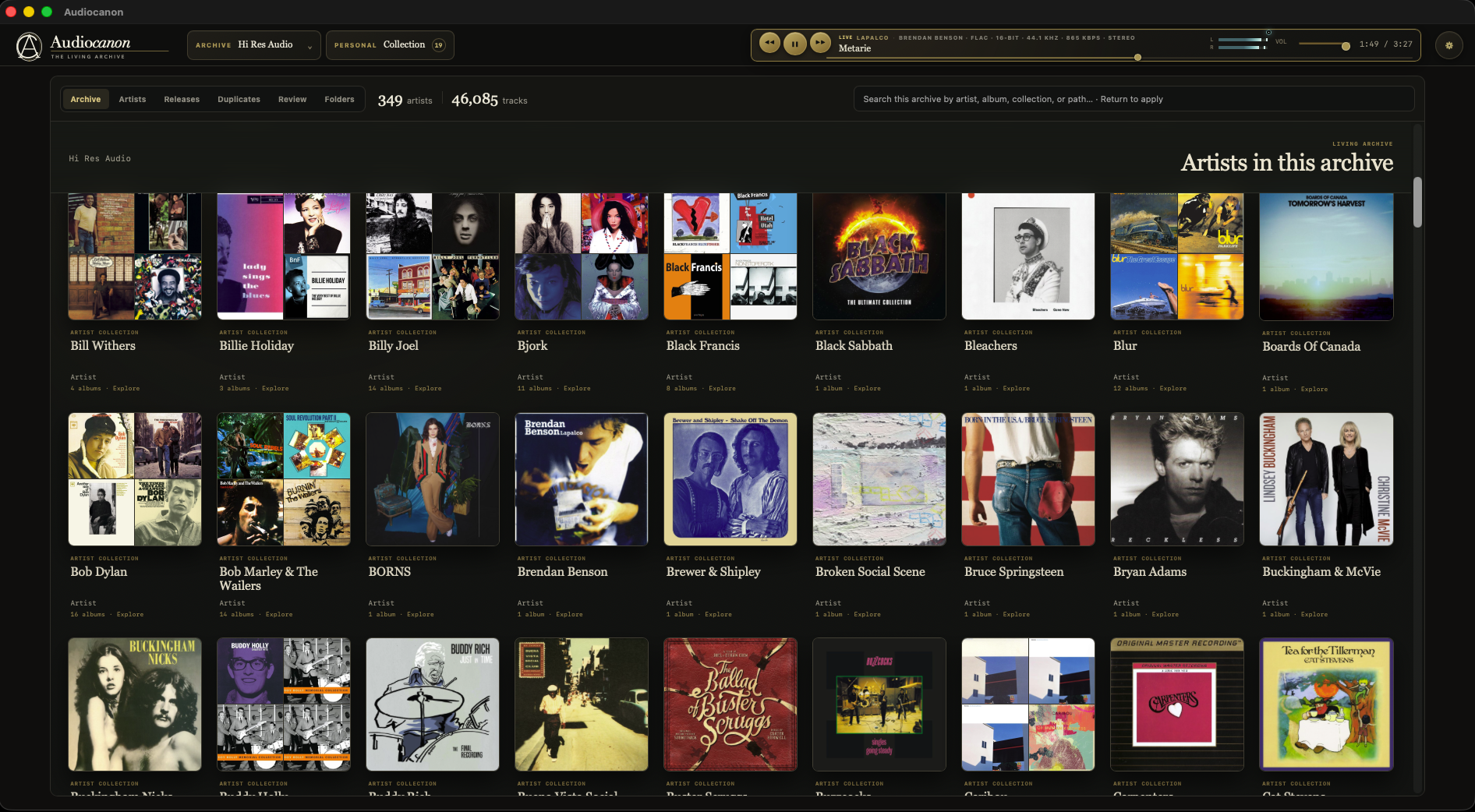
Artwork leads the way in Archive View. Start with the complete collection, open an artist or set, and keep drilling down. The table views are always nearby when you need more detail.
In a mixed archive, each artist becomes a visual collection of albums and sets. Open one to see the releases inside.
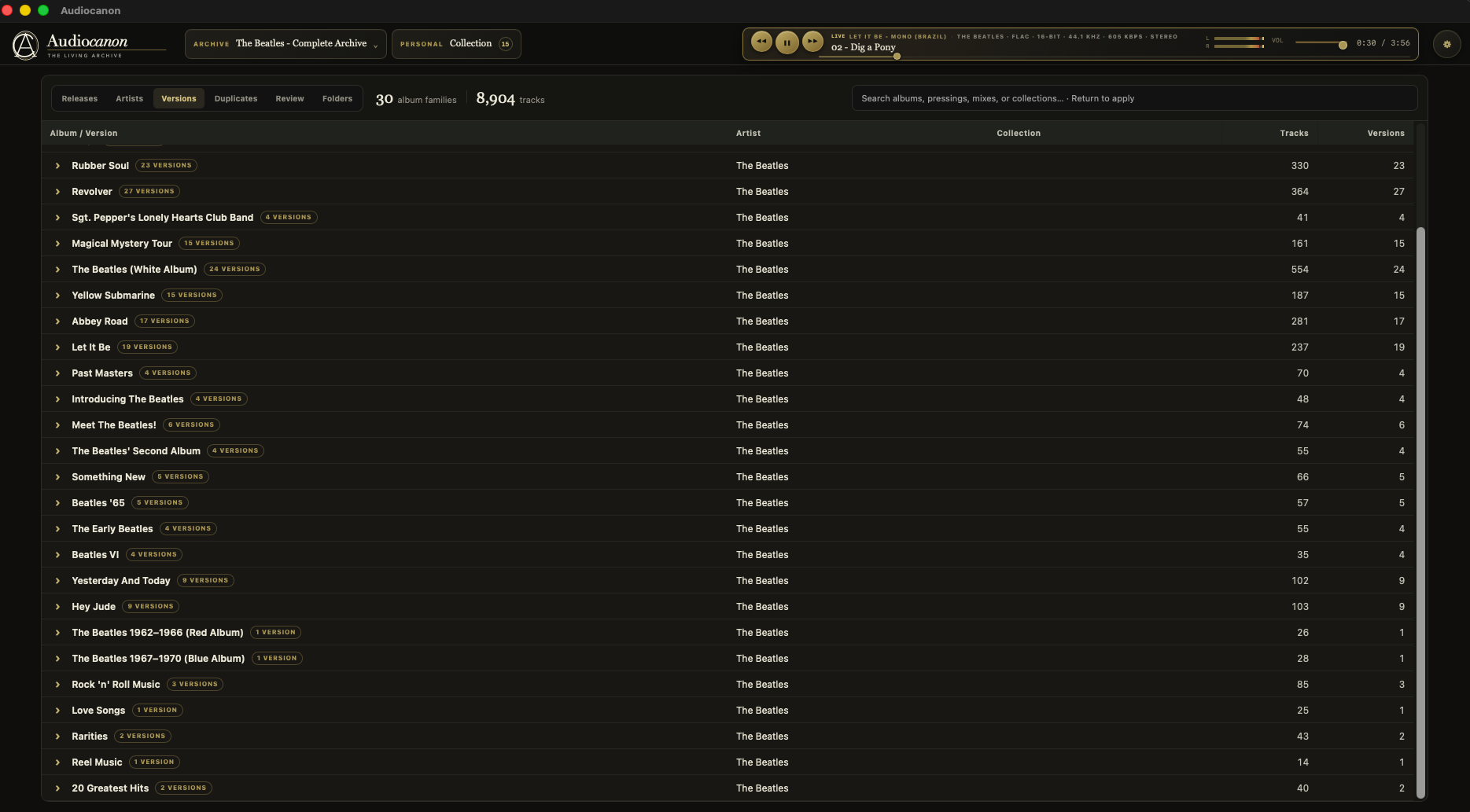
In a single-artist archive, the emphasis shifts to album families, pressings, mixes, and collector editions.
Compatible Mode works everywhere and stays the default. If you choose a supported wired output, Reference Mode can take exclusive control, match the source format, and play at unity gain. Its indicator lights only after the route has been checked.
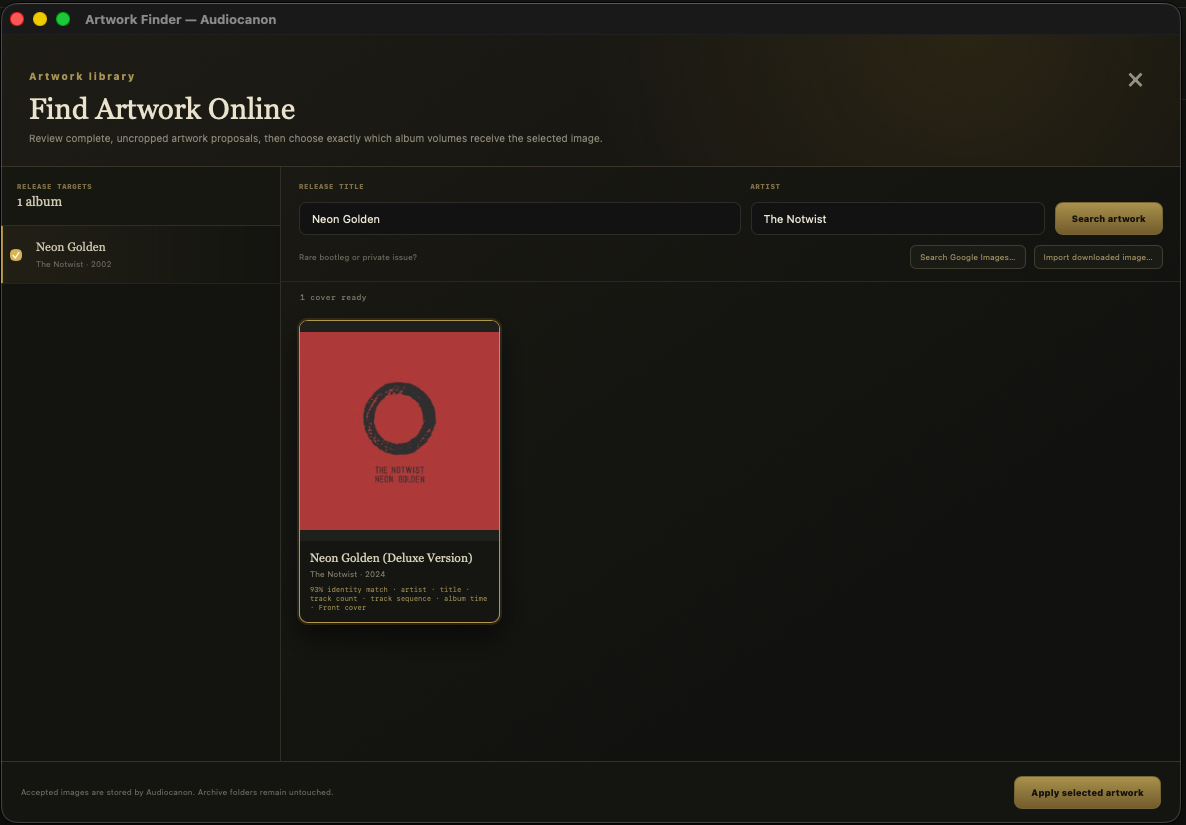
Enter the album and artist, then review the results before anything changes. AudioCanon uses the track list, timings, year, and other details it already knows to bring the best match forward.
Two albums can look identical and still contain different audio. AudioCanon compares the files themselves. Exact copies are shown separately from releases that merely overlap, and you can see why one copy is suggested as the keeper.
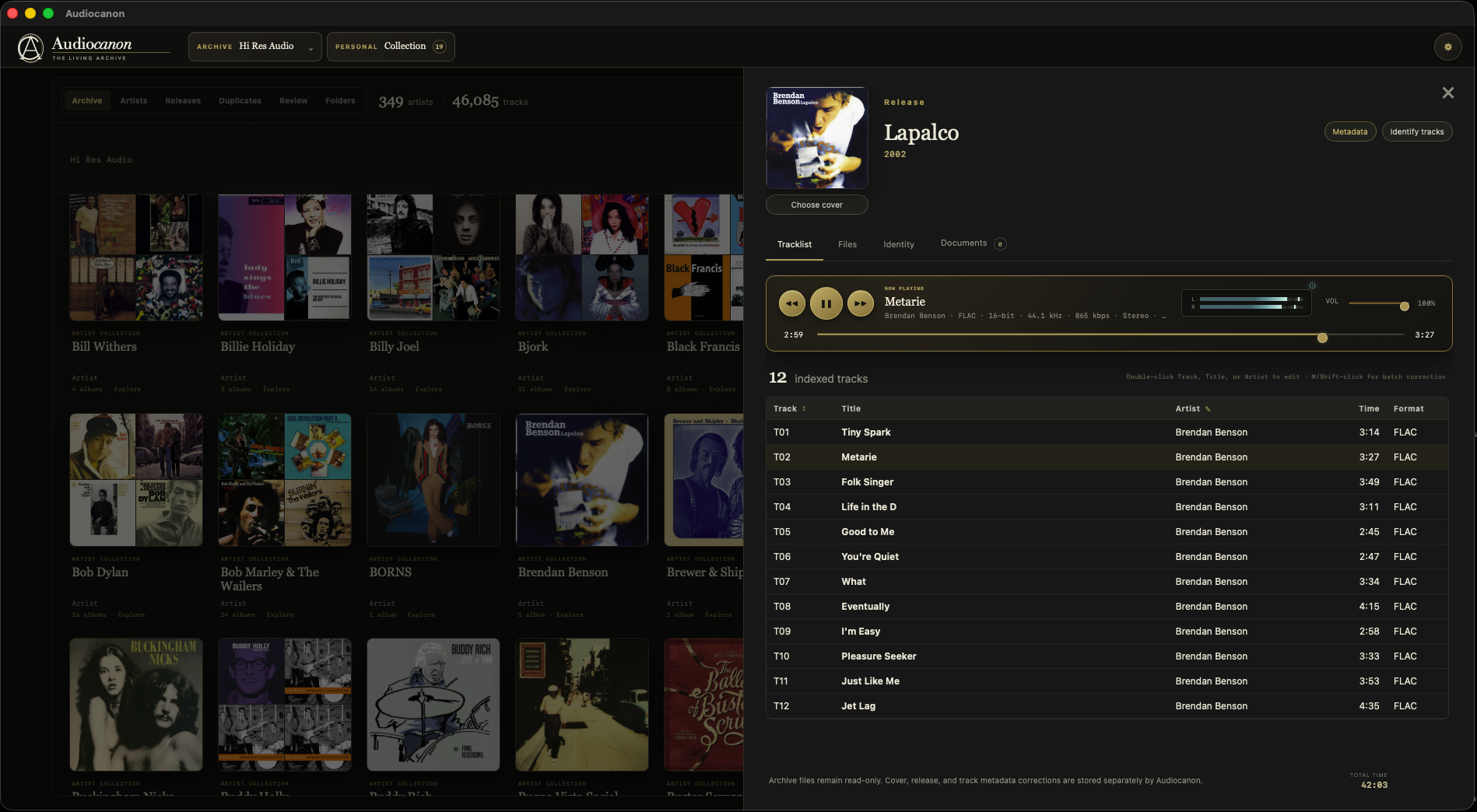
Open an album and everything connected to it is in one place: the cover, track list, files, notes, identity, and player. Nothing gets buried in a separate inspector.
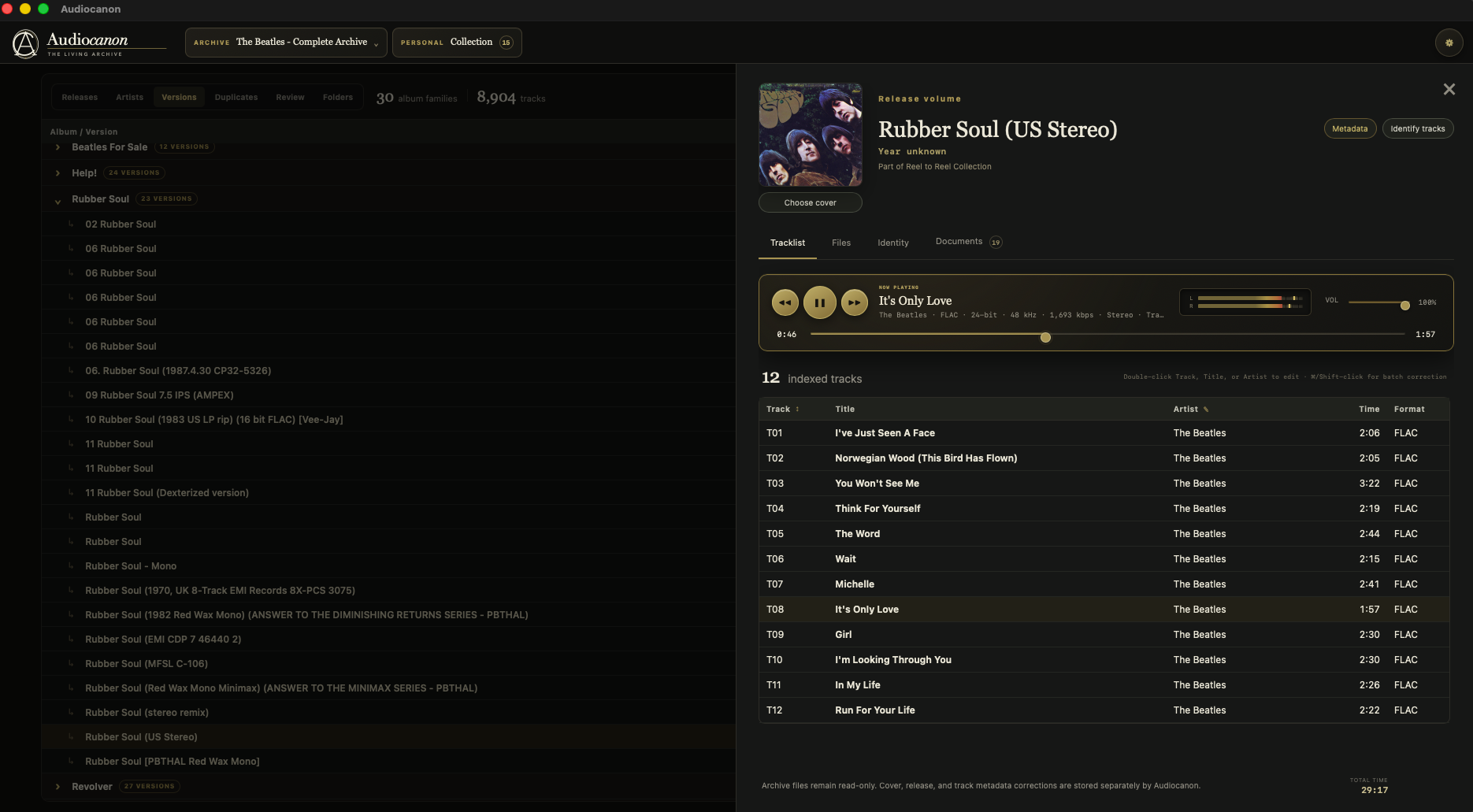
The useful details stay close at hand. When AudioCanon is unsure, it says so and leaves the decision with you.
AudioCanon pieces together a release from its tags, folder structure, timings, notes, CUE sheets, and artwork. Online references can fill in the gaps.
When you correct something, AudioCanon remembers the pattern privately. Over time, those corrections can help it make better suggestions without taking the decision away from you.
Add an album, replace a file, or rename a folder and the archive catches up. A complete rescan should be the exception, not the routine.
Move between artwork, artists, releases, versions, folders, review, and duplicates. The app remembers the density and columns you prefer.
Edit titles, artists, years, and track or disc numbers in a before-and-after workbench. Every proposed change shows where it came from and can be undone.
Bring favourite albums and tracks together across archives, or build a Song Tray and mixtapes. Each item still points back to its original source.
13The AudioCanon standard
Most of AudioCanon never touches the source files. Browsing, playback, artwork choices, and archive curation stay inside the app. The few tools that can change a file or move a folder show the plan first, check the source again, record what happened, and keep an Undo route.
See exactly what AudioCanon intends to do.
Check the files and paths again before the change begins.
Approve that specific operation while the verification is still current.
Record the plan and the information needed for recovery.
Keep a clear way back after a supported change.
AudioCanon is already a working, packaged macOS application. The major pieces are in place; the work now is to make every part dependable enough for V1.0.
Read the development status →